
About the app
If you number your folders – 1 Company, 15 Projects, 156 Quotes – you know the way to each one by heart. Ordner-Menü turns that into a shortcut: press a key combination, type the digits, hit Return. The folder opens in Finder, with no clicking through long lists.
How it works
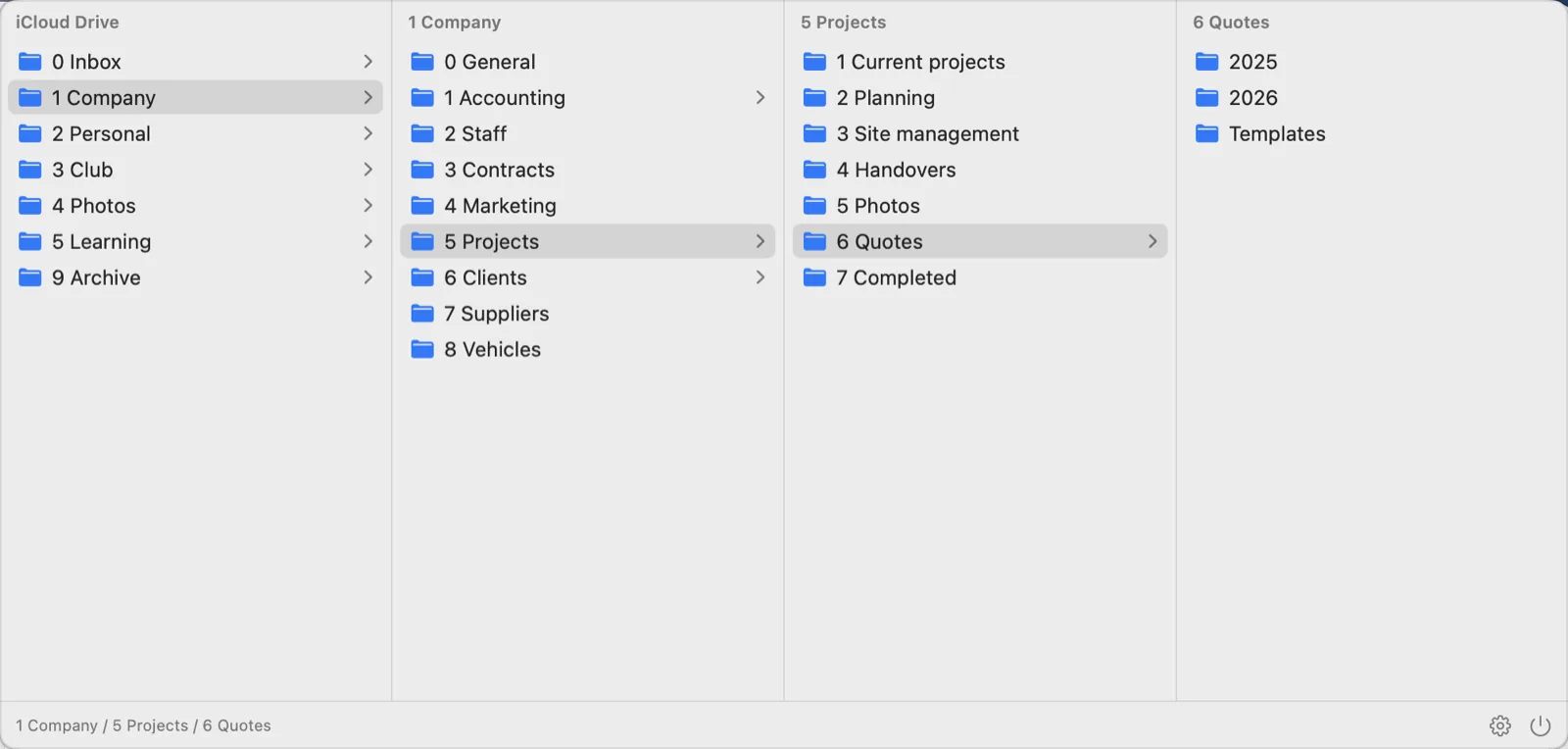
- Click the folder icon in the menu bar or press a shortcut (default: ⌃ Space) to open a window with columns like in Finder
- Each digit you type goes one level deeper: 1, then 5, then 6 leads to “1 … / 5 … / 6 …”
- Letters jump to the first matching folder name, and the arrow keys work as usual
- Return opens the selected folder in Finder, Esc closes the window
- Only folders are shown; aliases and symbolic links to folders take you straight to their target
- Changes to your folders show up immediately
File things away
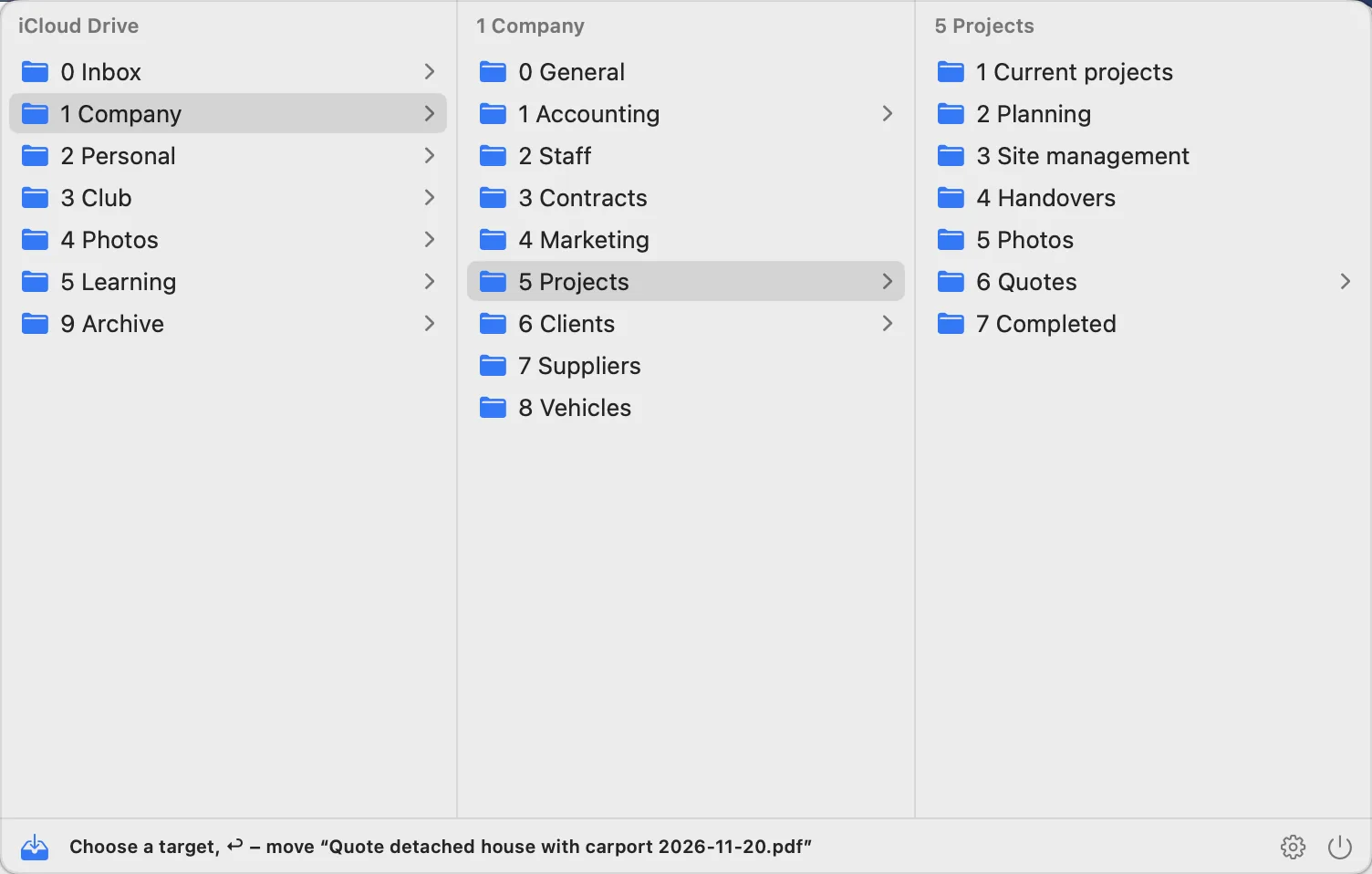
- Drag files onto the menu bar icon, pick the target folder with digits, press Return
- After a short confirmation the files are moved – hold Option (⌥) to copy instead
- Existing files are never overwritten; files with the same name get a number
Adjustable
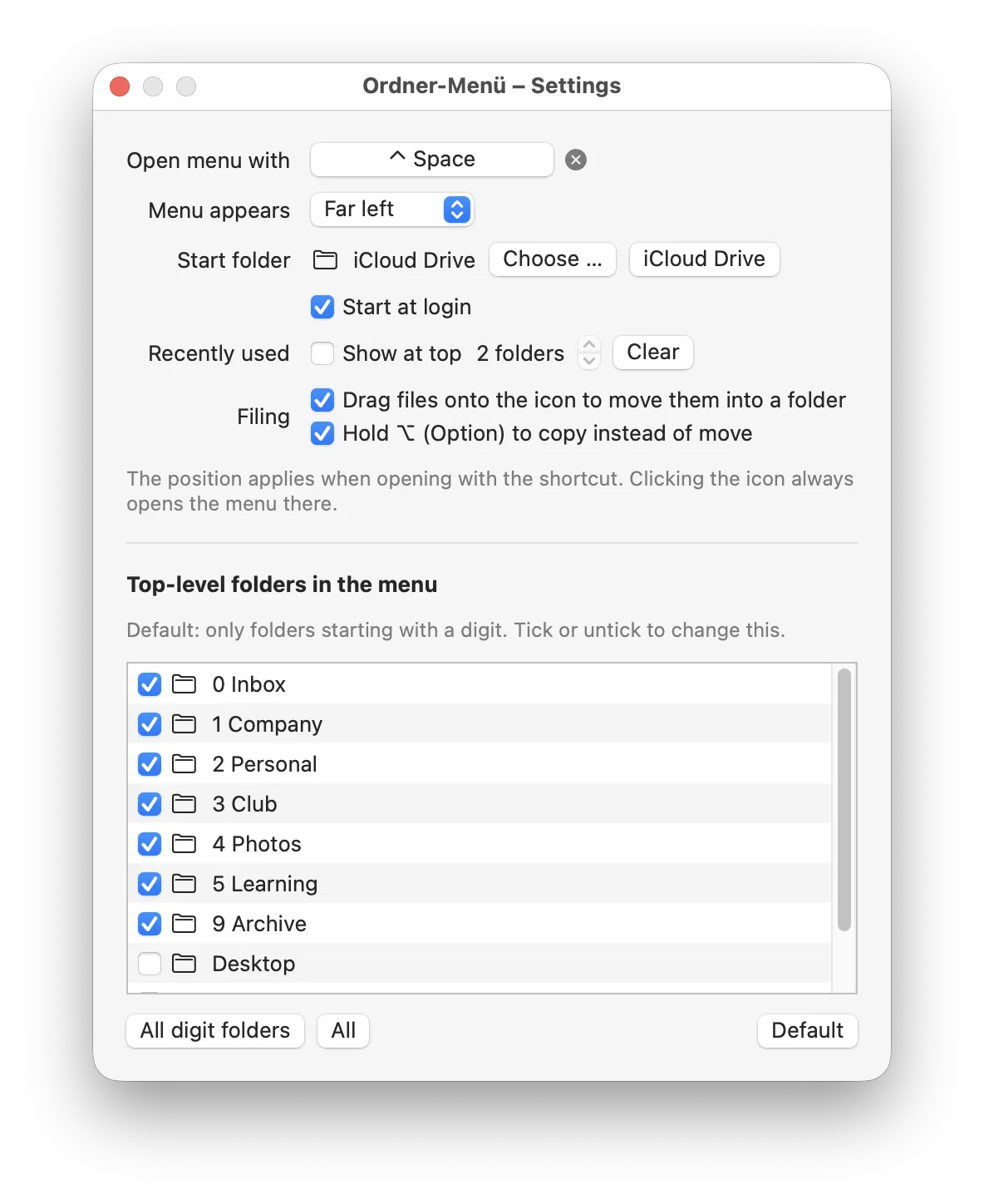
- Start folder: iCloud Drive or any other folder
- Which top-level folders appear – by default those starting with a digit
- Your own shortcut and window position: at the icon, or left, centre or right on the active screen
- “Recently used” list with 1 to 10 entries, or switched off
- Filing by drag and drop and copying with Option can each be switched off
- Optionally starts at login
The decimal filing system
Ordner-Menü works best with a decimal filing system: each level holds at most ten folders numbered 0 to 9. Every sequence of digits then points to exactly one folder, and just three digits tell a thousand places apart. Explained in detail in the guide “Numbering folders the decimal way” on this website.
Lightweight
The app lives only in the menu bar, needs no internet, collects no data and shows no ads. It does not need Accessibility permissions.
Languages: English and German.