
About the app
A lithium battery ages more slowly when it isn't kept at 100 % all the time. Battery Limit uses the charge limit built into macOS and puts it right in your menu bar.
Charge limit
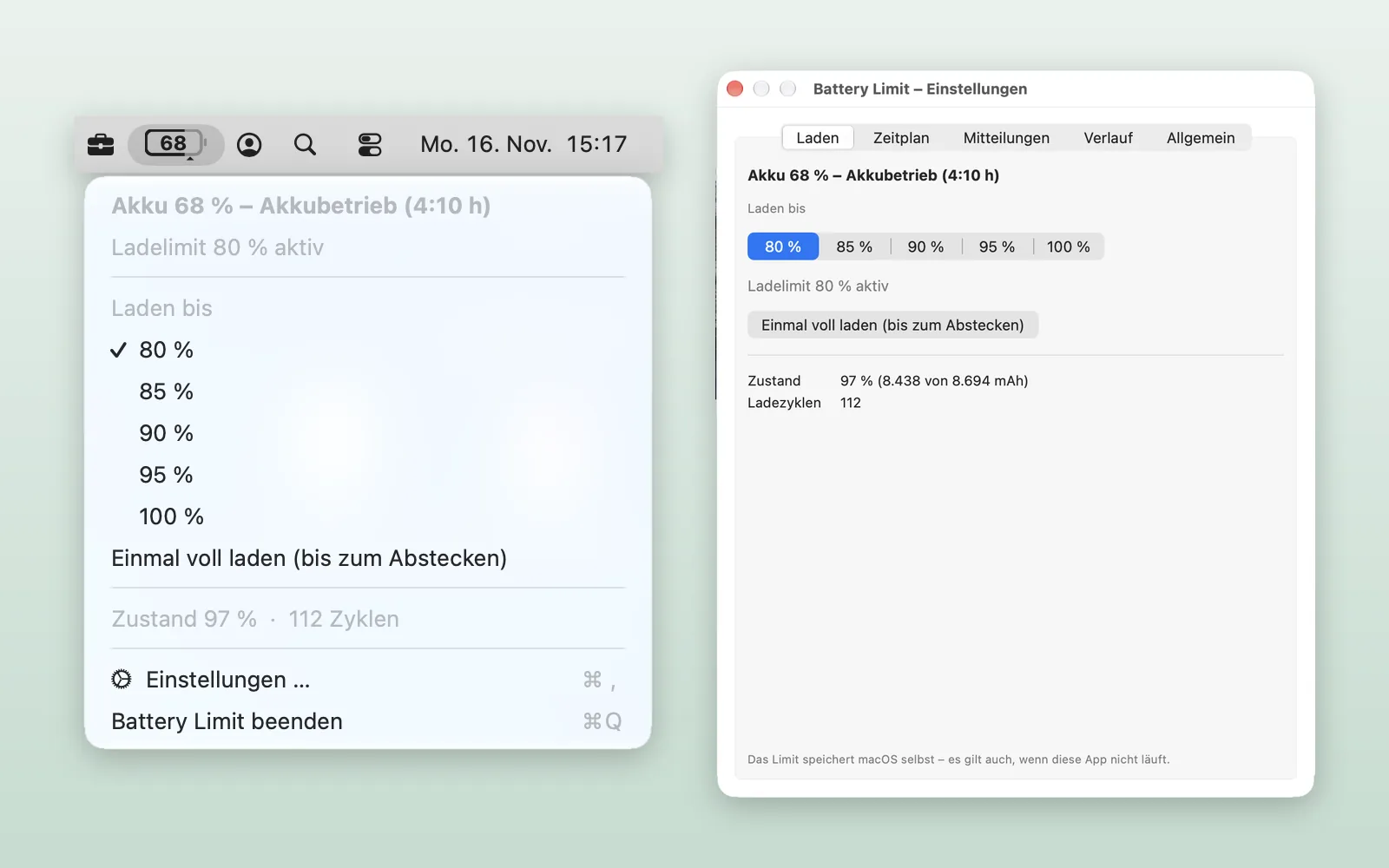
- Charge to 80, 85, 90, 95 or 100 % – one click in the menu
- macOS stores the limit itself, so it applies even when the app isn't running
- "Charge to full once": go to 100 % before a trip, the limit returns after you unplug
- If the battery is above the limit while plugged in, the Mac runs on the power adapter and the battery slowly drops to the limit
Menu bar
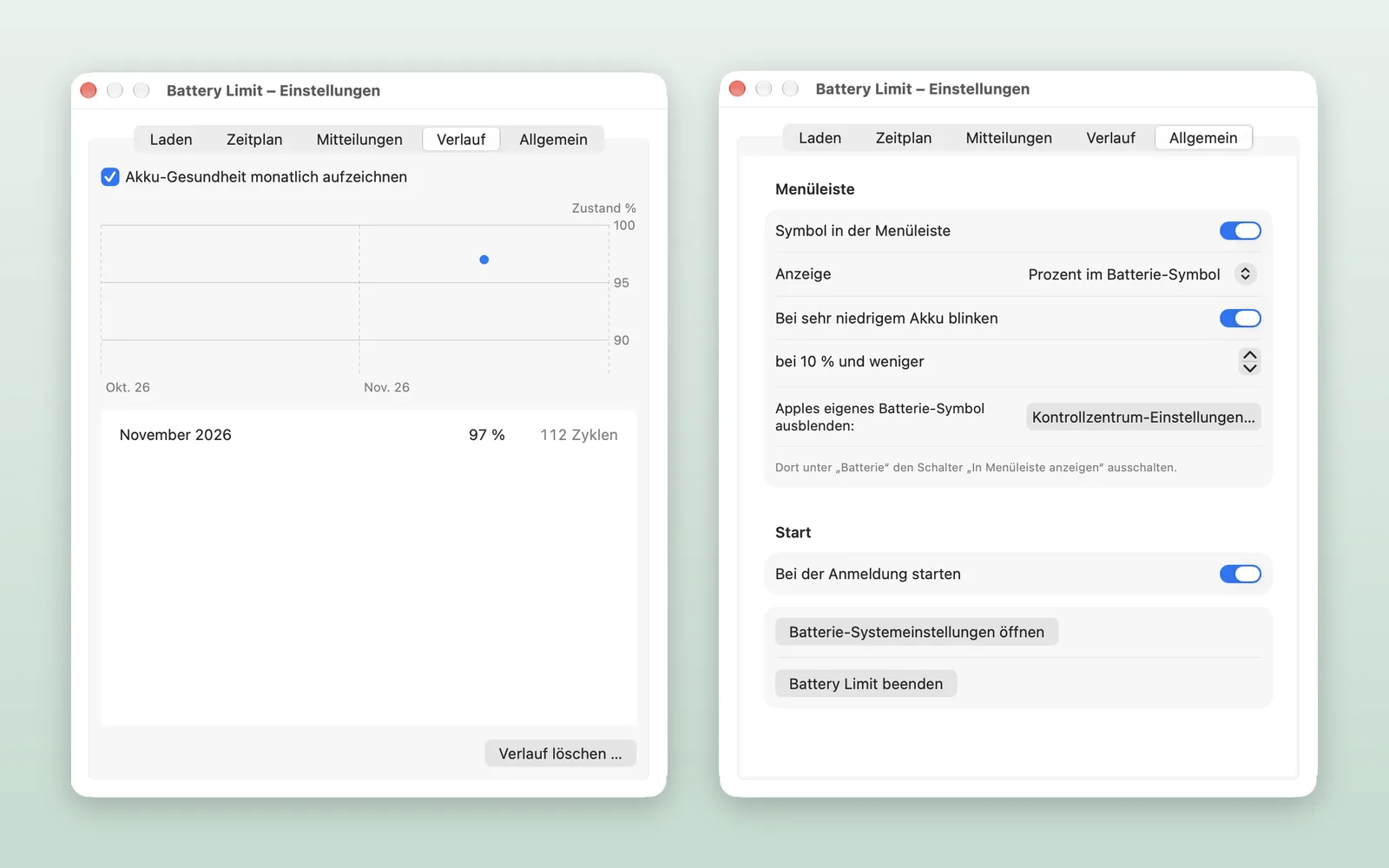
- Battery percentage right inside the battery icon – you can hide Apple's own icon
- The icon's outline shows the charge level, a small arrow marks the limit
- Bolt while charging, plug when on power
- Blinks gently when the battery is very low (adjustable)
Schedule
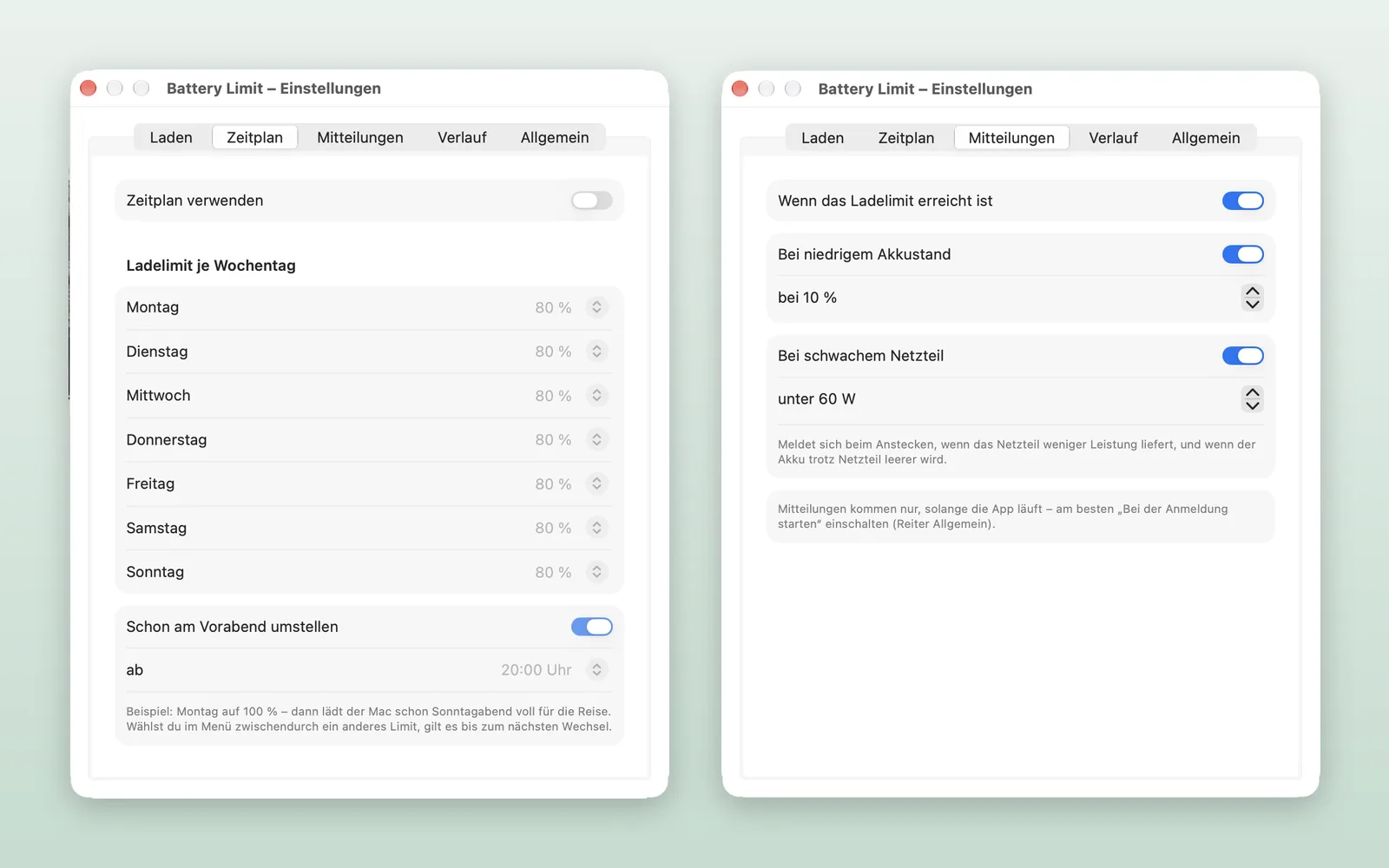
- A separate charge limit for each day of the week
- Optionally switch the evening before, so the battery is full in the morning
Notifications
- When the charge limit is reached
- When the battery is low
- When the power adapter is too weak, or the battery drains despite being plugged in
Battery health
- Condition as a percentage of the original capacity and number of charge cycles
- Monthly history as a chart
Every feature can be turned on or off in the settings. Battery Limit needs no internet connection, collects no data and shows no ads.
Languages: English, German, French, Spanish, Japanese and Chinese (Simplified).